Open source (MIT) · macOS 14 or later

The AI assistant that lives in your notch.

Hover the notch, ask anything, get back to work.

The signed, notarized app is coming soon as a one‑time purchase. Watch releases on GitHub to hear when it ships.
Uses the Claude API: bring your own Anthropic key, and Anthropic bills your usage.

A 40-second tour of Otto.

Why Otto

Claude, right where your eyes already are.

No window to find, no tab to switch to. Otto sits in the one part of your screen you never use, and gets out of the way the moment you're done.

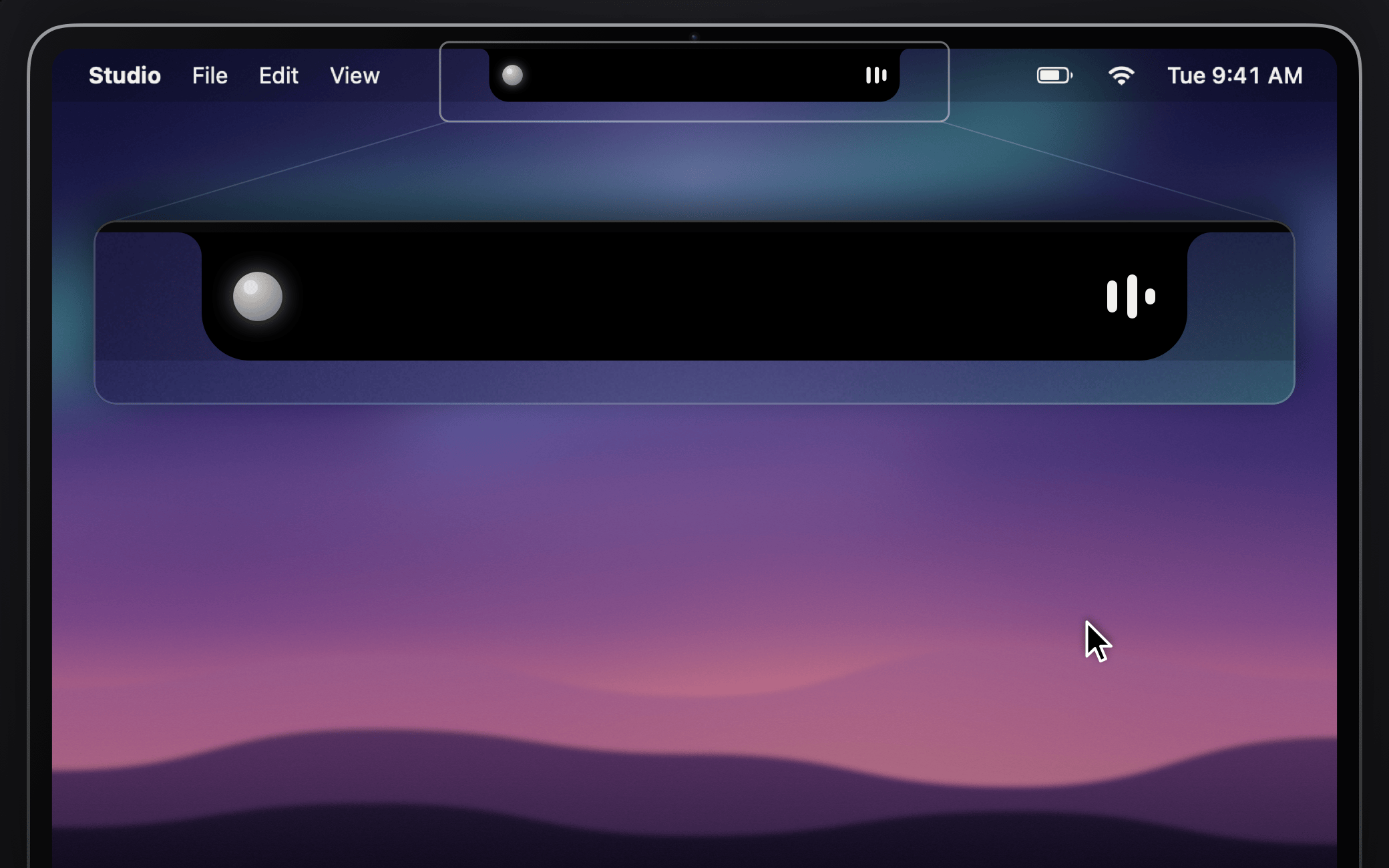
The MacBook notch with Otto tucked away inside it, a breathing orb and three equalizer bars showing a reply is still arriving

One glance away

Rest your pointer on the notch or press ⌥Space. Otto springs open right below the camera, then tucks itself back into the notch when you move on. Still working on an answer? A soft glow on the notch lets you know.

  • Opens on hover, click or ⌥Space
  • Press Esc or click away to dismiss
  • No notch? Otto draws one at the top of any display
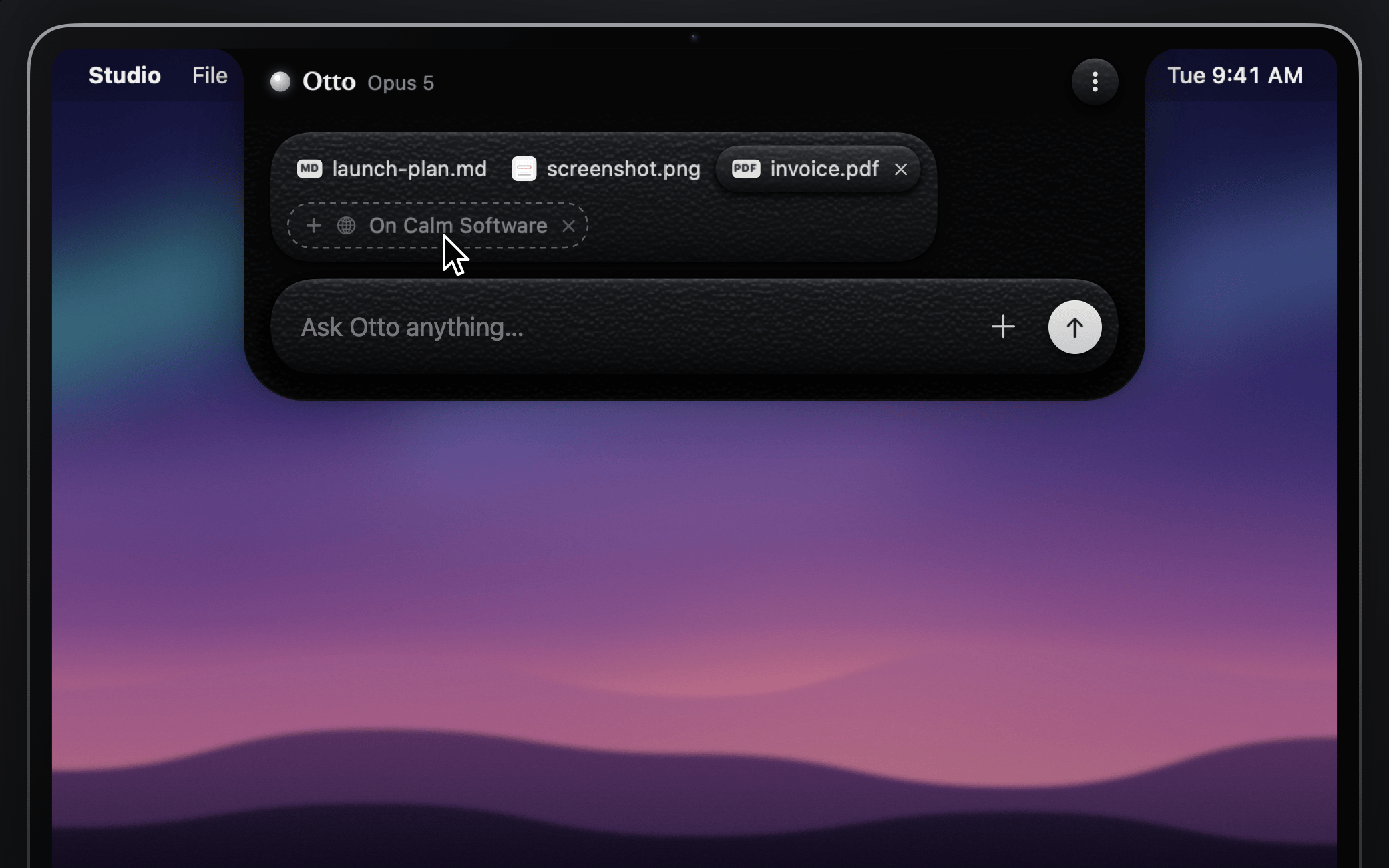
Otto open under the notch with context chips for a browser tab, an image, a PDF and a text file above the composer

Knows what you're looking at

Drop in files, images, PDFs and screenshots, or paste them with ⌘V. Reading something in your browser? Otto offers the tab you're on as a chip. One click and it's part of your question.

  • Drag onto the notch, even while it's closed
  • Capture a screen region from the + menu
  • Works with Safari and Chromium-based browsers
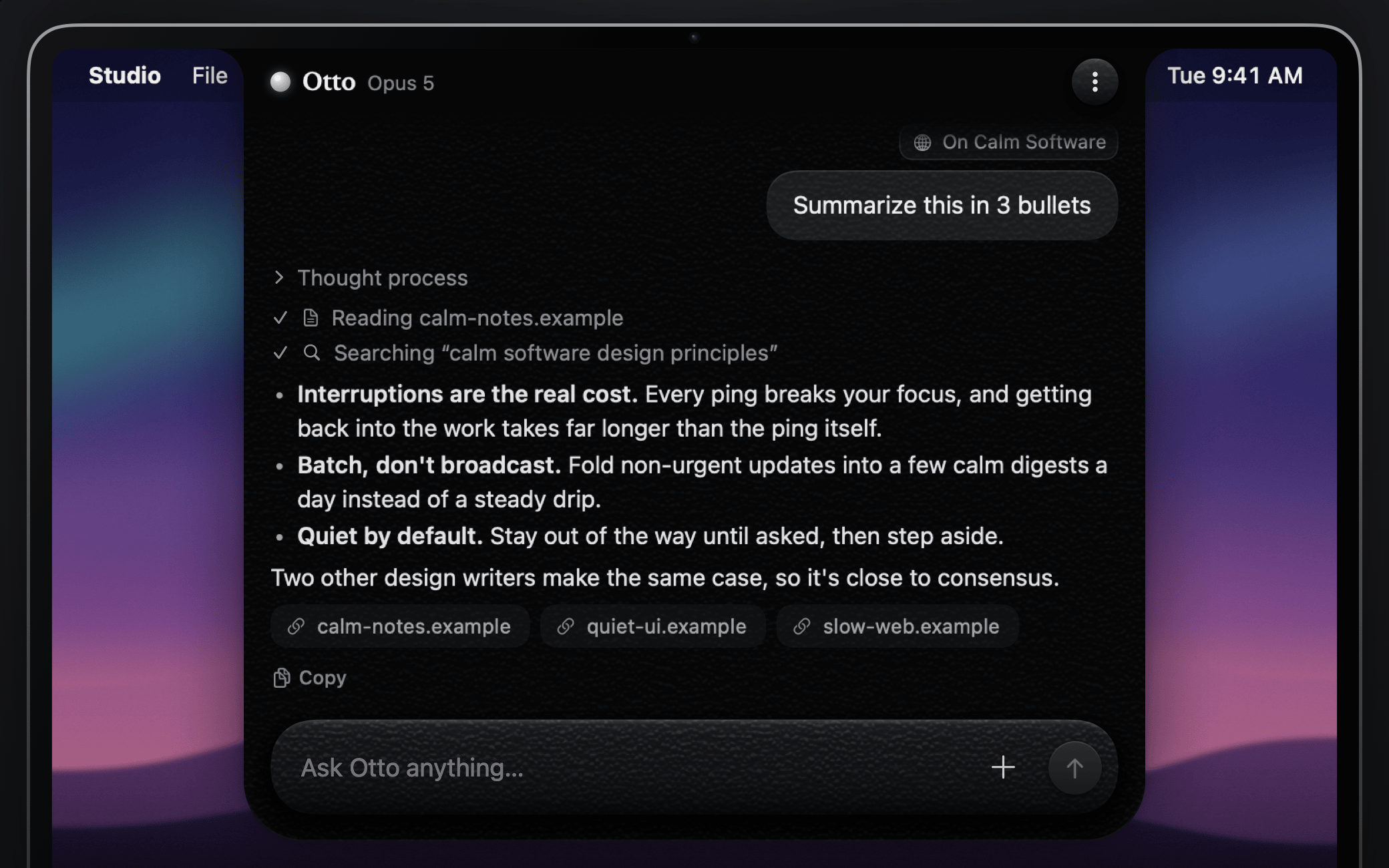
An answer in Otto with a collapsed thought process, a completed web search, a code block with a Copy button and source links

Answers that stream in

Replies appear as they're written, right in the notch. Otto can search the web and cite its sources, lets you open up its thinking, and renders clean Markdown with code blocks you can copy in one click.

  • Web search with source links
  • Visible thought process
  • Claude Opus 5, Sonnet 5 or Haiku 4.5
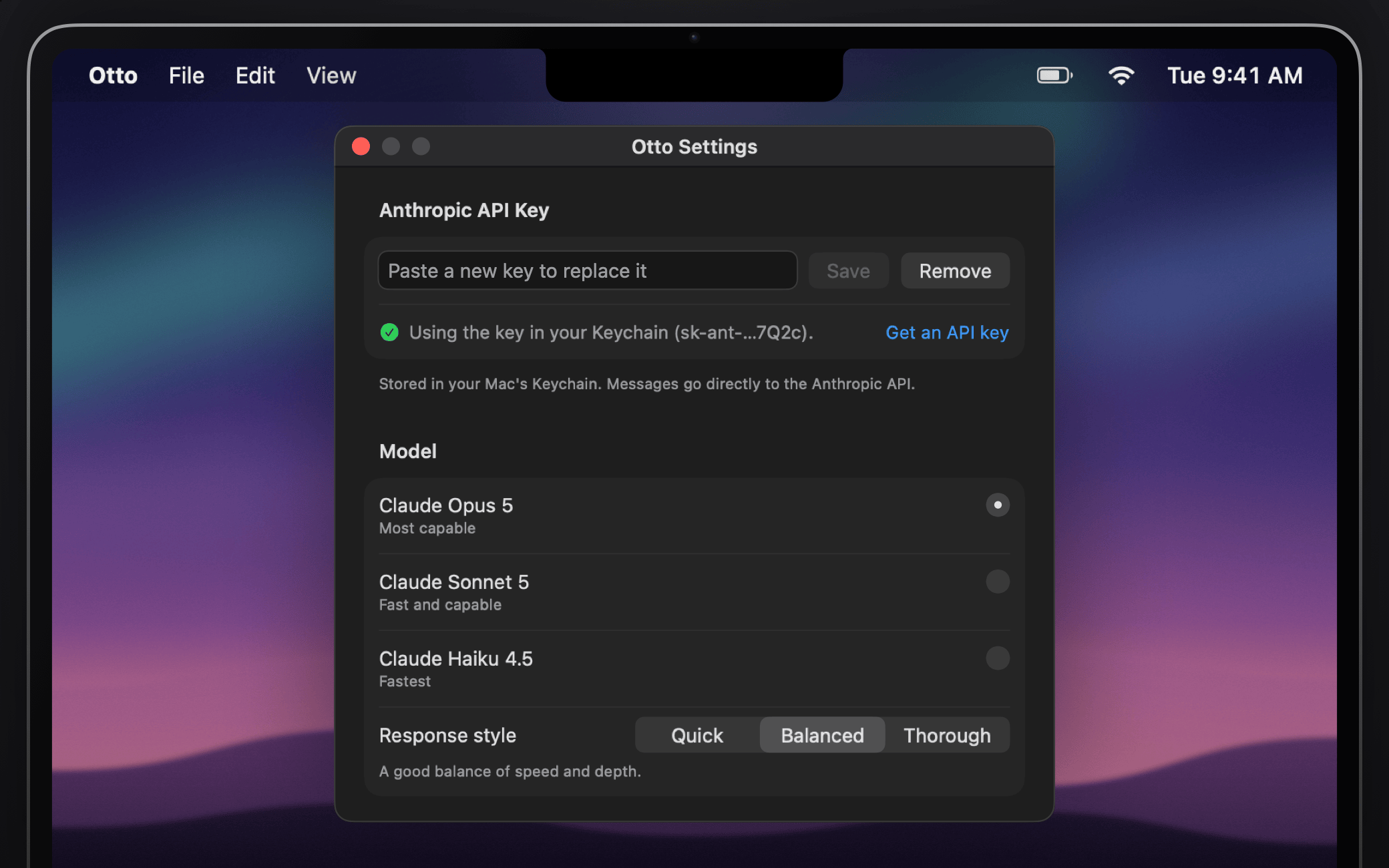
Otto's Settings window with the API key field, model picker and web access options

Your key, your Mac

Bring your own Anthropic API key. It lives in your macOS Keychain, nothing leaves your Mac until you press send, and there's no account to create and no telemetry to opt out of.

  • API key stored in your login Keychain
  • No account, no analytics, no tracking
  • Open source under the MIT license

How it works

Three steps from clone to answer.

  1. Build Otto

    With Xcode 16 or later, run brew install xcodegen, clone the repo and run scripts/run.sh. Otto lives in the notch and the menu bar, not the Dock.

  2. Add your API key

    Settings opens on first launch. Paste a key from the Anthropic Console and click Save. It goes straight into your Keychain.

  3. Hover and ask

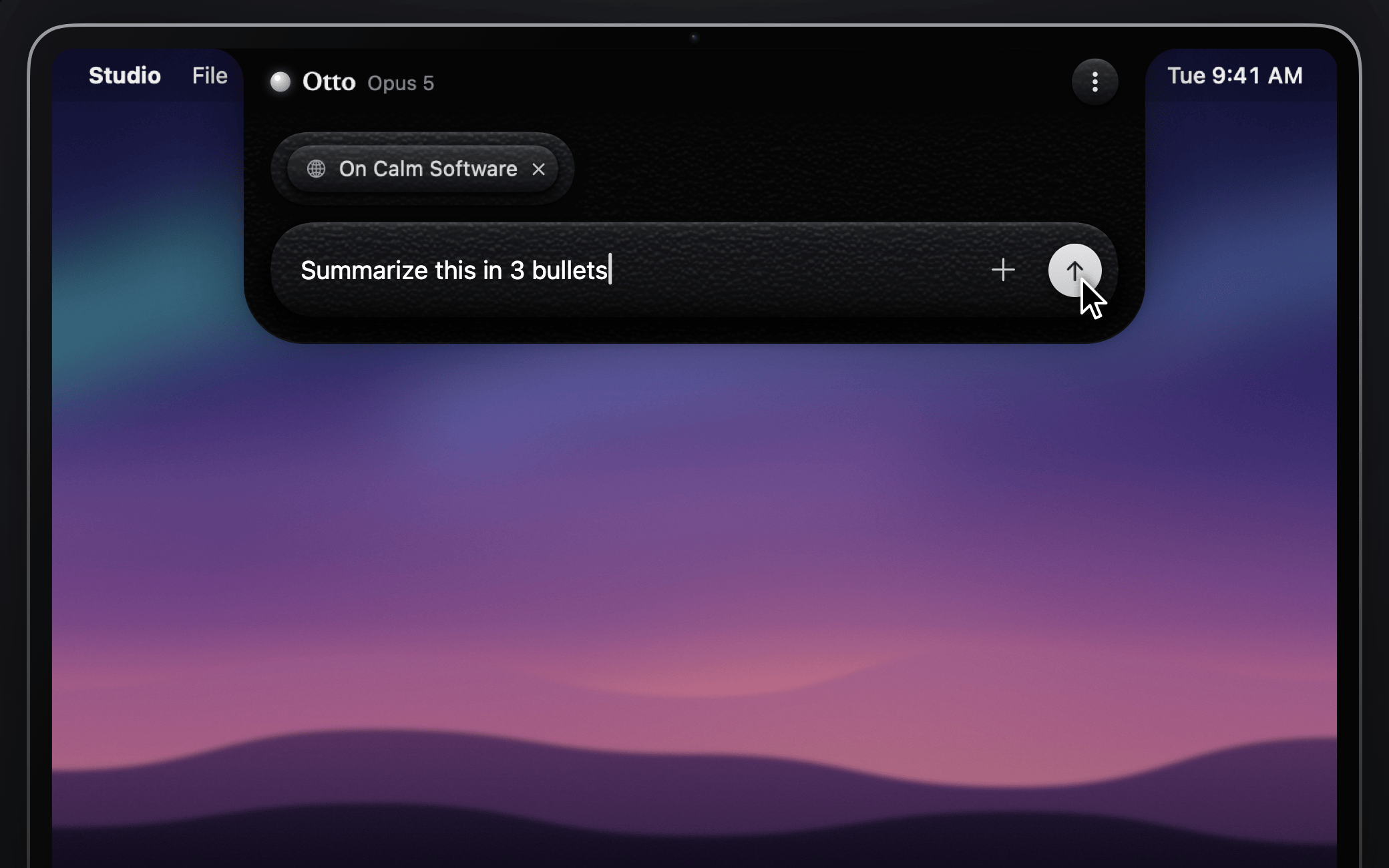
    Rest your pointer on the notch or press ⌥Space, type your question and press Return. That's it.

Otto open under the notch with a question typed into the composer, ready to send

Privacy

You decide what leaves your Mac.

Otto has no servers of its own. It talks to exactly one place, Anthropic's API, and only when you ask it to.

Stays on your Mac

  • Your API key, in the login Keychain and nowhere else on disk
  • Your files, images and screenshots, until you press send
  • Your settings and custom instructions
  • Everything about you: there's no account and no telemetry

Sent to Anthropic when you press send

  • Your message and the context chips you attached
  • Web searches, which Anthropic runs for Claude while web access is on. You can turn it off in Settings.
  • Nothing else. Usage is billed to your own Anthropic account.

Otto asks for permissions only when a feature needs them: Automation, per browser, to read the front tab's title and address; Screen Recording only if you use Capture Screen Region. It never needs Accessibility access.

FAQ

Questions, answered.

What does Otto cost?

The source code is free under the MIT license, and building it yourself costs nothing. The signed, notarized app will be a one-time purchase when it ships. Either way, Otto uses your own Anthropic API key, so Anthropic bills your Claude usage to your account at its API rates.

When can I get the signed app?

It's coming soon. To hear when it ships, open the repo's notification settings on GitHub, choose Custom, check Releases and click Apply. Until then you can build the same code from source.

What do I need to run it?

A Mac running macOS 14 Sonoma or later and an Anthropic API key with credit. You can create a key in the Anthropic Console. A Claude.ai subscription is separate from API access and doesn't work here. To build from source you also need Xcode 16 or later.

Why isn't Otto on the Mac App Store?

Mac App Store apps must run in Apple's App Sandbox, and Otto's notch panel, global shortcut and browser tab reading are built to run outside it. The signed app will be sold directly instead.

My Mac doesn't have a notch. Can I still use Otto?

Yes. On Macs without a notch, and on external displays, Otto draws a virtual notch at the top center of the screen. Everything else works the same way.

Which Claude models can I use?

Pick Claude Opus 5, Sonnet 5 or Haiku 4.5 in Settings. You can also choose a response style, turn web search on or off, and add custom instructions.

Where is my API key stored?

In your macOS login Keychain. Otto never writes it anywhere else, and only sends it to Anthropic's API to authenticate your requests.

What permissions does Otto ask for?

Only what a feature needs, the first time you use it. Automation access for each browser lets Otto read the current tab's title and address. Screen Recording is needed only for Capture Screen Region. Otto doesn't need Accessibility access: the shortcut and hover detection work without it.

Another app already uses ⌥Space. What now?

You can turn Otto's shortcut off in Settings and open Otto by hovering or clicking the notch, or from the menu bar icon. Or change the shortcut in the other app.

How do I quit Otto?

Otto doesn't live in the Dock. Quit it from the menu bar icon or from the ⋮ menu inside the notch.

Can I build it from source?

Yes, and today that's how you get it. Otto is a native Swift app with no third-party dependencies. Install XcodeGen with brew install xcodegen, clone the repository and run scripts/run.sh. The README has the details.

Is Otto made by Anthropic?

No. Otto is an independent open source project by Jalen Edusei. It uses the Claude API with your own key and is not affiliated with, endorsed by or sponsored by Anthropic.

Put Claude one hover away.

Build it free from source on macOS 14 or later. The signed app is coming soon.